
LED TV Screen Black but Sound Working? Complete Guide to Repair & LED TV Home Service in Indore


Imagine sitting down to watch your favorite movie or TV show, switching on your television, and hearing the sound normally—but the entire screen remains black. The TV appears to be working, yet there is no picture.
This is one of the most common problems reported by LED and Smart TV owners. Many people immediately assume that the TV panel is completely damaged and start thinking about purchasing a new television. However, a black TV screen does not always mean that the entire TV needs to be replaced.
The problem can occur because of the LED backlight, power supply, display circuit, T-Con board, internal connections, or other electronic components.
If you are searching for LED TV repair in Indore, understanding the possible causes can help you identify the problem and decide when professional TV repair is required.
In this guide, we will explain why your LED TV screen can become black while the sound continues to work, what you can safely check at home, which repairs may be possible, and when you should contact a professional TV repair technician.
LED TV Screen Black but Sound Working – What Does It Mean?
When the television produces sound but does not show a picture, it usually means that some parts of the TV are functioning while the display system is experiencing a problem.
For example, the TV may be receiving power, processing the channel or input signal, and producing audio, but the backlight or display circuit may not be functioning correctly.
There can be several reasons behind the same symptom.
Some common causes include:
LED backlight failure
Power supply problems
T-Con board issues
Display circuit faults
Loose internal connections
Motherboard-related problems
Input or source issues
Panel-related faults
Because several different faults can produce a similar symptom, it is difficult to determine the exact cause simply by looking at the black screen.
This is why proper diagnosis is an important first step in LED TV repair service in Indore.
1. LED Backlight Failure
One of the most common reasons for a TV screen appearing black while the sound continues to work is a backlight problem.
Unlike older televisions, LED TVs use LED strips behind the display to illuminate the image. The television may still generate the picture internally, but if the backlight is not working, you may not be able to see that image.
In some cases, only a few LEDs may fail. In other situations, an entire LED strip or the backlight system may stop working.
What does a backlight problem look like?
You may notice:
Sound works normally.
The TV turns on.
The screen looks completely black.
The TV's indicator light may work.
Sometimes a very faint image may be visible.
The screen may flash briefly before becoming dark.
The TV may turn on and then the picture disappears.
If these symptoms are present, the backlight system should be inspected.
A technician can test the backlight circuit and determine whether the issue is related to the LED strips, driver circuit, power supply, or another component.
2. Power Supply Board Problem
The power supply board is an important part of an LED TV because it supplies the required electrical power to different circuits.
If a component on the power board develops a fault, the television may behave unusually.
For example, the TV might:
Turn on but show no picture
Produce sound but no display
Turn off automatically
Blink repeatedly
Restart itself
Show the picture for a few seconds and then go black
Power supply problems can involve individual components or the board itself.
A professional technician should inspect the board and test the relevant voltages before deciding whether repair or replacement is required.
3. T-Con Board or Display Circuit Problem
Another possible cause is a problem with the T-Con board or display-related circuit.
The T-Con system helps process and transfer image information to the display panel. If there is a problem with this circuit, the TV may have audio while the picture is missing or abnormal.
Depending on the fault, you may see:
Completely black screen
White screen
Lines on the screen
Flickering picture
Half display
Distorted picture
Picture disappearing intermittently
A technician needs to inspect the television to determine whether the issue is related to the T-Con board, connections, or another display circuit.
4. Loose Internal Cable or Connection
Modern televisions contain several cables and connectors connecting different boards and components.
A damaged, loose, or faulty connection can sometimes cause display problems.
For example, a connection between the main board and display-related components may develop an issue.
However, opening an LED TV without proper knowledge is not recommended.
TV panels are delicate, and an incorrect attempt to remove or reconnect components can cause additional damage.
If the basic external checks do not solve the problem, professional inspection is safer.
5. Motherboard Problem
The motherboard, also called the main board, controls several important functions of a modern television.
A fault on the motherboard can affect:
Picture
Sound
HDMI inputs
Smart TV functions
Software operation
Remote response
Power functions
In some cases, the television may still produce sound even though the display is not functioning correctly.
A technician can test the motherboard and related circuits to determine whether the problem is actually originating there.
6. Input or HDMI Source Problem
Not every black screen is caused by an internal TV fault.
Sometimes the TV itself is working correctly, but the connected device or input source is causing the problem.
For example, the issue could involve:
HDMI cable
Set-top box
DTH receiver
Gaming console
Streaming device
External media player
Before arranging TV repair near me in Indore, try changing the input source and checking whether the TV menu appears.
If the TV menu is visible but the connected device has no picture, the problem may be with the external device or cable rather than the television.

7. TV Panel Problem
The TV panel is one of the most important and delicate components of a television.
Panel-related problems can sometimes cause:
Black screen
Cracked display
Vertical lines
Horizontal lines
Half-screen display
Spots or patches
Severe picture distortion
Panel damage can be caused by physical impact, pressure, moisture, manufacturing-related failure, or electronic problems.
A panel fault should be confirmed by a technician before making a decision about repair or replacement.
LED TV With a Black Screen at Home
Before calling a technician, you can perform a few simple external checks.
These checks do not require opening the TV.
Step 1: Restart the TV
Turn the TV off using the remote.
Then unplug the television from the power socket.
Wait for a few minutes before plugging it back in and switching it on.
Sometimes a temporary electronic or software issue can be resolved by a complete power cycle.
Step 2: Check the TV Menu
Press the Menu, Home, or Settings button on the remote.
If the menu appears, the TV display may be functioning and the issue could be related to the selected input source or connected device.
If even the TV menu does not appear, further diagnosis may be required.
Step 3: Change the Input Source
Use the remote to switch between:
HDMI 1
HDMI 2
AV
TV
Other available sources
If the picture appears on another source, check the original device or cable.
Step 4: Check the External Device
If you use a set-top box or DTH connection, check whether that device is switched on.
You can also restart the set-top box and check the HDMI connection.
Step 5: Listen for Sound
Check whether:
TV channels have sound
YouTube or other apps produce sound
Volume controls respond
The TV produces startup sounds
If the TV continues to produce sound but the screen remains black, an internal display-related problem may need to be checked.
How to Know If the Backlight May Be the Problem
A backlight problem can sometimes be suspected when the TV appears to be operating normally but the screen is dark.
In some cases, if you shine a light toward the screen, you may notice a very faint image.
This can indicate that the TV is generating the picture but the backlight is not illuminating it properly.
However, this should not be treated as a final diagnosis because several different faults can create similar symptoms.
A qualified technician can perform the appropriate tests to confirm the problem.
Why You Should Not Immediately Replace Your TV
When a television suddenly develops a black screen, many owners immediately start looking for a replacement.
But a television can have a repairable fault.
For example, if the actual problem is related to the backlight, power circuit, or another replaceable component, repairing the fault may be possible.
The actual repair decision depends on:
TV brand and model
Screen size
Age of the television
Type of fault
Availability of parts
Condition of the panel
Overall repair cost
Therefore, diagnosis should come before replacement.
LED TV Repair vs TV Replacement
Whether you should repair or replace a television depends on the actual condition of the TV.
Repair may be considered when:
The panel is in good condition.
The fault is limited to a replaceable component.
Suitable parts are available.
The television is otherwise working properly.
The repair cost is reasonable compared with replacement.
Replacement may be considered when:
The panel has severe physical damage.
The TV has multiple major faults.
Suitable replacement parts are unavailable.
The estimated repair cost is very high.
The television is already very old.
A professional inspection can help you understand the condition of the TV before making a decision.
Common LED TV Problems That Need Professional Repair
A black screen is only one of the problems that LED TV owners may experience.
Other common issues include:
LED TV Has Sound but No Picture
The television produces audio, but there is no visible image.
Possible causes can include backlight or display-related faults.
TV Screen Keeps Blinking
The screen may repeatedly turn on and off or continuously flicker.
This can be related to the power supply, backlight, display circuit, or other components.
TV Turns On but Screen Is Dark
The TV indicator may show that the television is powered on, but the display remains dark.
Backlight-related issues are one possibility, but diagnosis is necessary.
Half Screen Is Working
Only one portion of the display may show the picture.
This can be related to display connections, T-Con circuitry, panel-related issues, or other faults.
TV Has Lines on Screen
Horizontal or vertical lines can have different causes, including display circuitry or panel-related problems.
Smart TV Is Working Slowly or Hanging
Smart TVs can also experience software and motherboard-related issues that affect normal operation.
Why Professional TV Diagnosis Is Important
A single symptom can have several possible causes.
For example, “black screen” does not automatically mean that the LED backlight is damaged.
The actual problem could be:
Backlight → Power supply → T-Con → Main board → Connections → Panel
This is why replacing a component without testing can sometimes result in unnecessary expense.
A proper technician should first identify the fault and then explain the available repair option.
LED TV Home Service in Indore
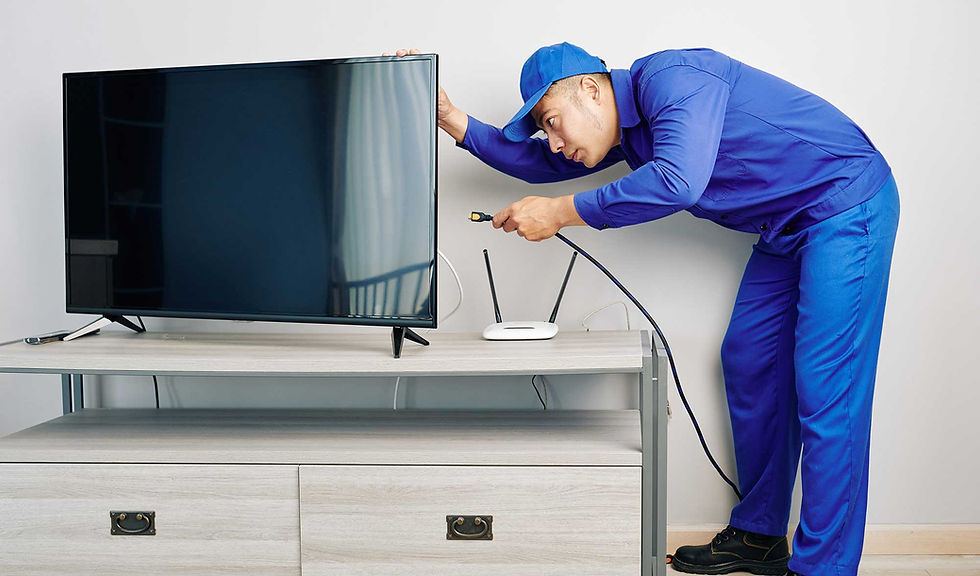
If you are located in Indore and searching for LED TV repair near me, TV repair service in Indore, or LED TV repair at home in Indore, Expert LED TV Services Indore provides repair assistance for different types of televisions.
LED TV Home Service In Indore
We provide service for:
LED TVs
LCD TVs
Smart TVs
OLED TVs
Plasma TVs
Common repair requirements include:
LED backlight repair
Black screen problems
No picture with sound
Display problems
TV blinking
Motherboard-related faults
Power supply issues
Audio problems
Screen-related issues
The television can be inspected to identify the actual problem before deciding on the appropriate repair.
LED TV Home Service in Indore
For many customers, carrying a large television to a repair shop can be inconvenient.
That is why home-service repair can be useful when the problem can be diagnosed and addressed at the customer's location.
If you need LED TV Home service in Indore, you can contact Expert LED TV Services Indore to discuss your TV problem and arrange service.
Before booking, keep your TV model number and approximate screen size available. This information can help the technician understand the type of television involved.
How to Choose an LED TV Repair Service in Indore
When looking for a TV repair technician, don't select a service only because it appears at the top of a search result.
Consider practical factors such as:
1. Experience
Ask whether the technician regularly works with your type of television.
2. Proper Diagnosis
The technician should identify the actual fault rather than immediately suggesting expensive replacement.
3. Clear Repair Information
Ask what component has failed and what work is required.
4. Warranty Information
If a repair warranty is provided, understand what it covers and for how long.
5. Genuine or Suitable Parts
Ask about the type and quality of replacement parts being used.
6. Transparent Charges
Confirm applicable service and repair charges before approving the work.
These simple steps can help you make a more informed decision.
Frequently Asked Questions About LED TV Repair
Why is my LED TV screen black but the sound is working?
The cause can be related to the backlight, power supply, display circuit, T-Con board, motherboard, connections, or panel. The exact fault needs to be diagnosed.
Can a black LED TV screen be repaired?
In many cases, a black screen can be caused by a repairable component. However, whether repair is possible depends on the actual fault and the condition of the television.
Is a black screen always a panel problem?
No. A black screen does not automatically mean that the panel is damaged. Backlight, power supply, display circuitry, and other components can also cause this symptom.
How much does LED TV repair cost in Indore?
The cost depends on the TV model, screen size, fault, required parts, and repair work. A proper diagnosis is needed before giving an accurate repair estimate.
Can I repair the LED TV myself?
Basic external checks such as changing the input source or restarting the TV are generally reasonable. However, opening the television and working on internal electronic components should be left to a qualified technician.
My TV turns on for a few seconds and then the screen goes black. What could be wrong?
A backlight or power-related issue is one possible cause, but other faults can produce the same symptom. Professional diagnosis is recommended.
Should I buy a new TV if my screen suddenly becomes black?
Not necessarily. First determine the actual cause. If the problem is a repairable component, repairing the TV may be an option.
Can Smart TVs also develop backlight problems?
Yes. Smart TV functionality does not prevent hardware components such as LED backlights, power circuits, and display components from developing faults.
Final Thoughts
A black LED TV screen with working sound can be caused by several different problems. The backlight is one possible cause, but it is not the only one.
Before assuming that your TV panel is damaged or purchasing a replacement television, it is better to have the TV properly diagnosed.
Simple checks such as restarting the TV, changing the input source, and checking external devices can help rule out basic issues. If the screen remains black, professional inspection can help identify the actual fault.
If you are searching for LED TV repair in Indore, LED TV repair near me, or Smart TV repair service in Indore, Expert LED TV Services Indore can assist with the inspection and repair of different types of televisions.
Contact Expert LED TV Services Indore
Expert LED TV Services Indore
🌐 Website: www.expertledtvservicesindore.com
For TV repair assistance in Indore, contact us and explain the problem with your television. Providing the TV brand, model and screen size can help us understand your requirement before service.
Don't replace your TV before knowing the actual problem. Get it checked first.


Comments